Know where to go. Let your regulars find you.
Publish your stops, go live in a tap with exactly the location you want to share, and build a following you can actually reach.
Accounts open soon. Until then, everything here runs on sample data.
- No app for customers to download
- Location shared only when you tap, at the precision you choose
- Service ends on its own after closing time
- Page published
Built for the window, not the office.
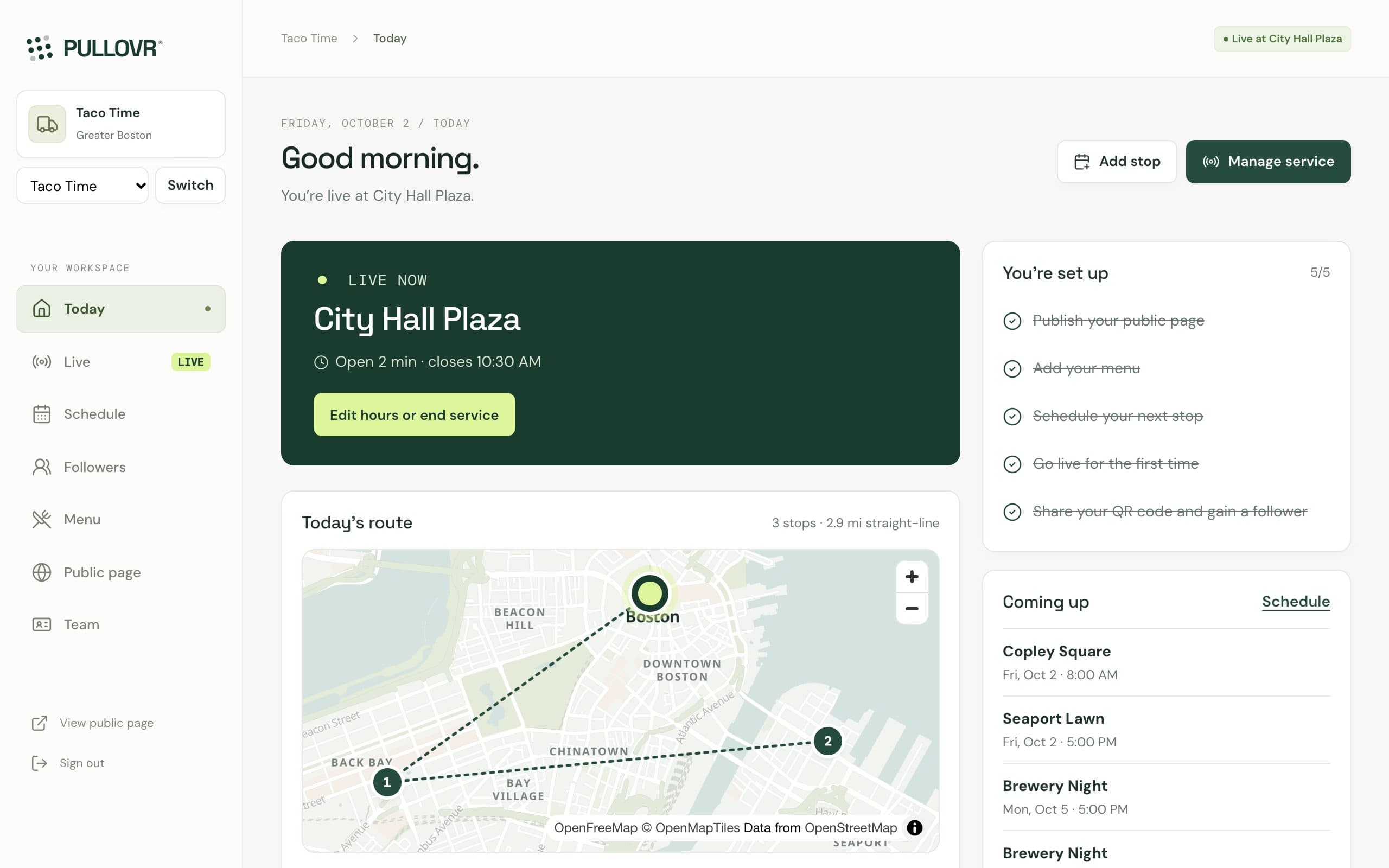
These are the actual screens, not mockups. Big targets, plain words, and nothing you have to babysit during a rush.
Real screens from the app, with a sample truck.
Is this stop worth coming back to?
Revenue isn’t the answer — profit per hour is. Drag the numbers from your last stop and see what it really earned, what the fee cost you, and what would change the answer.
- One more order every hour adds $9.52 to your hourly profit at this ticket and food cost.
- The first 8 orders just pay the venue fee.
Your numbers, transparent math. In the app, import your POS sales (CSV from any POS; live Square sync is coming) and PULLOVR estimates this for every stop, so you compare spots on evidence instead of memory.
Tonight, tomorrow, every day after.
- TonightSet up your truckAdd your truck, menu and regular spots. Publish your page and print your QR.
- At the stopTap Go liveChoose exact, venue or area. Service ends on its own after closing time.
- After serviceBring them backFollowers see your schedule and next stop. Import your POS sales to see which stops actually paid.
Be easy to find. Be impossible to forget.
Your schedule becomes a page customers can check any time, and the people in your line become followers you can bring back — with their permission.
Plan the week in a few taps
Weekly stops repeat for up to 26 weeks. Private bookings stay on your agenda only.
On your public page 8 stops · 2 weeks
- Brewery Night
- Brewery Night
- Brewery Night
- Farmers market
- Brewery Night
- +3 more
Turn a line into regulars
One QR at the window. Customers follow with consent for each channel, and can change or delete it themselves.
- Scan at the window
- Follow
- Done
No app to download. The code opens the truck’s page.
Operate. Grow. Understand.
Here’s exactly what works today and what’s coming next. We don’t mark anything ready until it is.
Operate
Run the day without juggling apps.
- Go live with exact, venue or area sharingAvailable
- Weekly schedule, public or privateAvailable
- Maps of your route and spotsAvailable
- Menu with sold-out stateAvailable
- Prep planningComing
Grow
Own the audience you earn at the window.
- Public page and QR codes per placementAvailable
- Followers with consent per channelAvailable
- Self-service unsubscribe and deleteAvailable
- Campaigns and location alertsComing
- Loyalty and referralsComing
Understand
Decide with evidence, not memory.
- Sales import from any POS (CSV)Available
- Estimated profit per stop and per hourAvailable
- Live POS sync, Square firstComing
- Menu performanceComing
- Forecasts with confidence rangesComing
- Weekly reportComing
Straight answers.
Built for operators who’ve been sold too many dashboards.
Do I have to replace my POS?
No. PULLOVR works alongside it. Import a sales export from any POS as a CSV and each sale is matched to the stop it happened at, with sales per hour and estimated profit per stop. Live Square sync is next, so imports happen on their own.
Do customers need to download an app?
No. Your page works in any phone browser. They scan your QR or tap your link, see where you are and until when, get directions, and follow if they want to.
Is my location tracked?
Only when you tap. You choose what customers see: the exact pin, the venue, or a general area about a kilometre wide. There’s no background tracking, and service ends on its own after closing time so you never stay “live” by mistake.
Who owns my followers?
You do. Each follower chooses email and/or text separately, and their consent is recorded. They can change or delete their details from a private link at any time.
Can my staff use it?
Yes. Roles separate owners, managers, staff and analysts. Staff can run service without seeing customer contact details.
Accounts open soon. Try the whole thing today.
Add your menu, publish your page, print your QR, and schedule your week — no POS change required.